Free trial, Lite mode and your license
Seven days of everything, Lite mode for free after that, and what a license key adds.
The free trial
START 7-DAY TRIAL on the license screen starts it. Everything works for 7 days. There is no sign-up and no email.
Settings › License shows the days left, for example TRIAL · 5 DAYS LEFT, and the Trial ends date.
The trial runs once per PC. A new Windows account does not start a new one.
Lite mode
When the trial ends, the app keeps working in Lite mode. It stays free.
| Works in Lite mode | Needs a license |
|---|---|
| The VR menu | The wheel model and its screen |
| Recentre | Every dashboard after the first |
| Hands and arms | Passthrough boxes and canvases |
| The first dashboard | Cockpit shake |
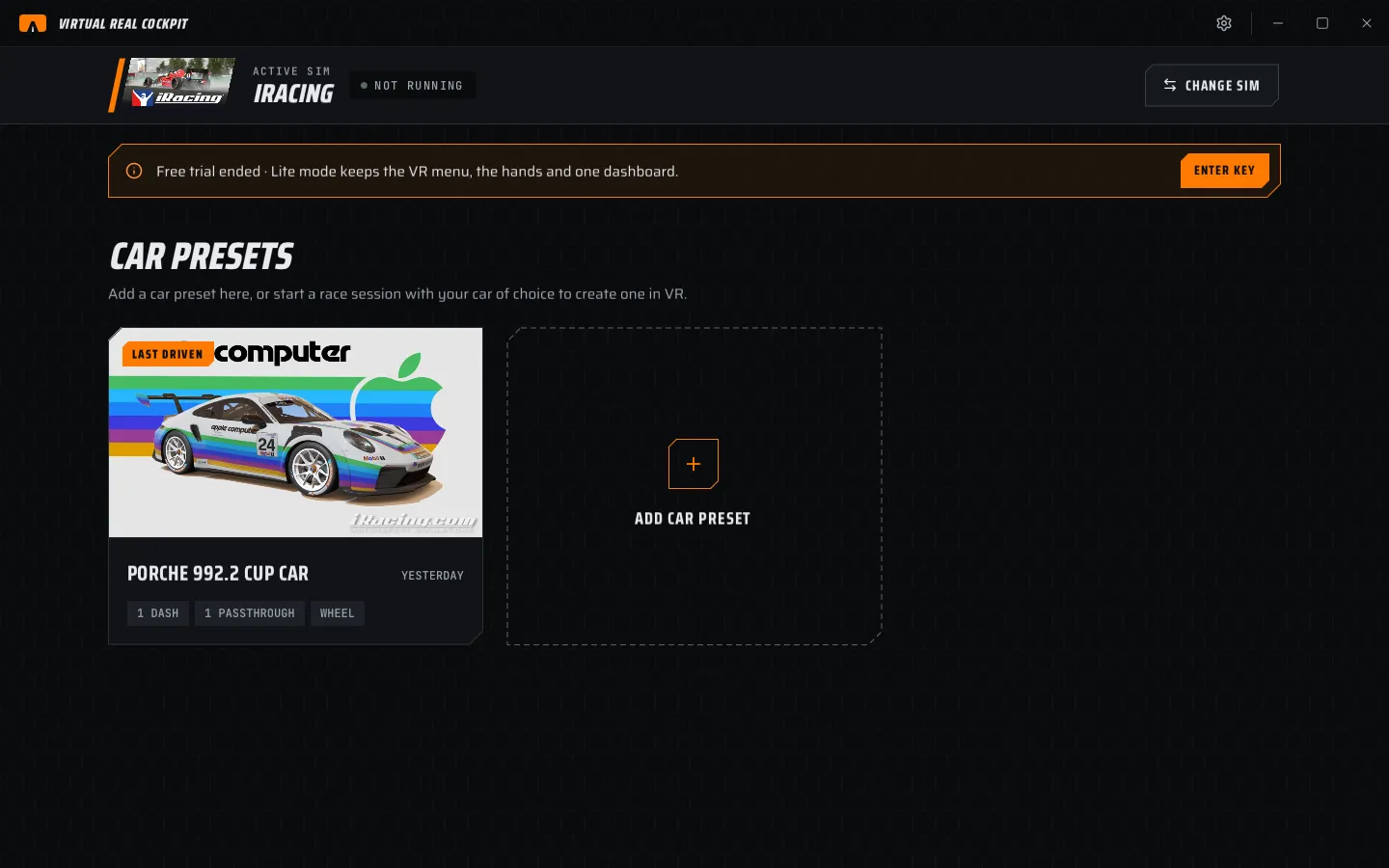
In Lite mode:
- Home shows Free trial ended · Lite mode keeps the VR menu, the hands and one dashboard.
- The Wheel, Passthrough and Dashboards pages show a strip that says what is not shown in the headset. You can still set everything up.
- The VR menu bar shows TRIAL ENDED.
- ENTER KEY on any of these strips opens the license screen.
Buy a license
- On the website, open Pricing and choose Buy license.
- Pay in the checkout window.
- Your key arrives by email within a minute.
The key starts with VRC-. It is sent once and cannot be sent again or reissued, so keep the email.
Enter your key
- Open Settings › License and choose ENTER KEY (or ENTER KEY on a Lite mode strip).
- Paste the key. Case and dashes do not matter.
- Choose ACTIVATE.
| Message | What it means |
|---|---|
| Incomplete license key | Part of the key is missing. Paste it again. |
| Invalid license key | The key is wrong. Check for a missing character. |
| This key was refunded | The order was refunded. The app stays in Lite mode. |
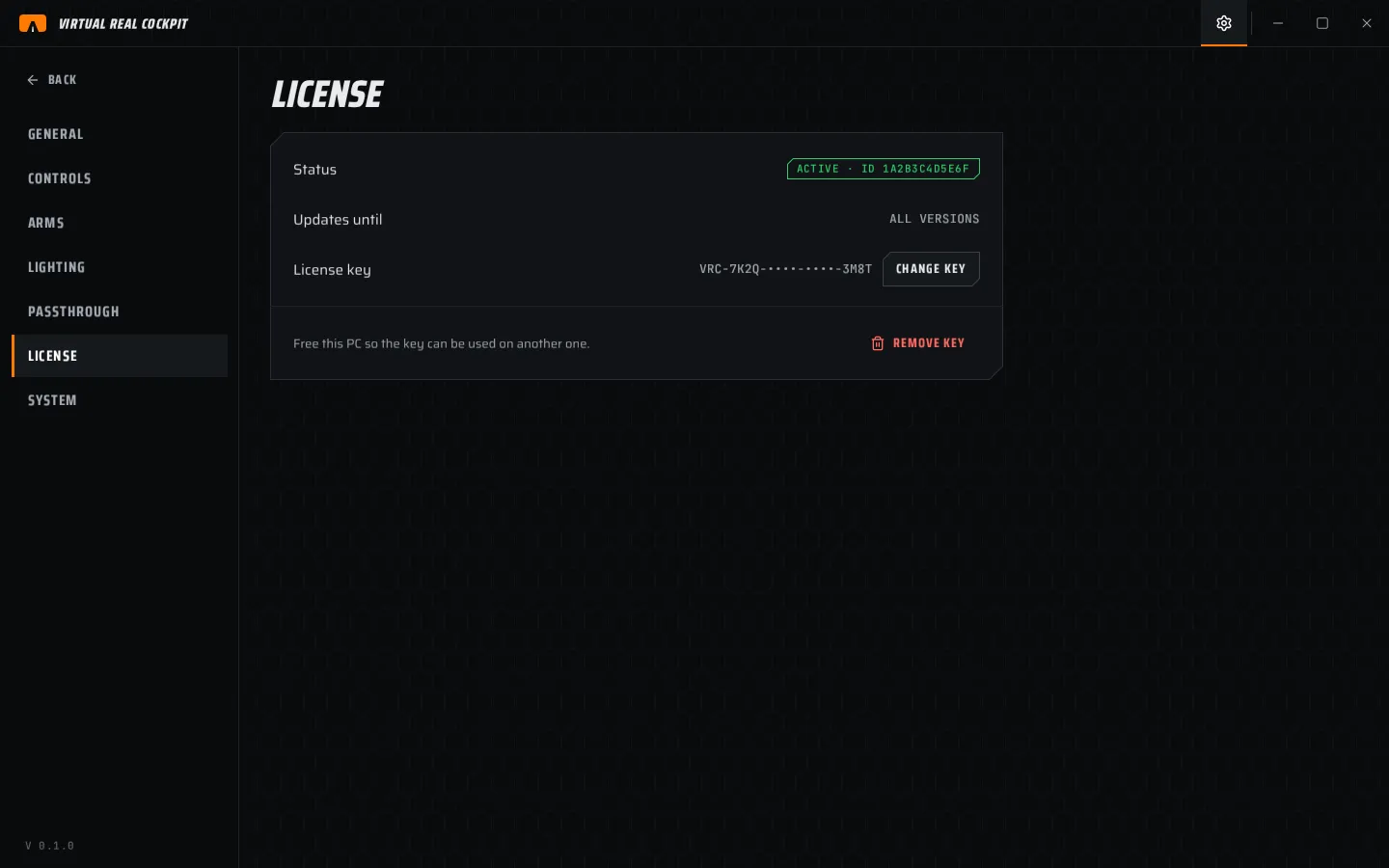
Settings › License then shows:
- Status · ACTIVE
- Updates · ALL VERSIONS (a license covers every future version)
- License key · the key, partly hidden
How the key is checked
The app checks the key when it starts and once a day. It sends only the key's ID, never the key, your name or your email. It needs the internet once a week.
- No internet for more than 7 days: the app drops to Lite mode and Settings › License shows Connect to the internet to check your key with CHECK NOW. Everything comes back after the next check.
- A refunded order: Settings › License shows This key was refunded with BUY LICENSE, and the app stays in Lite mode.
Move the key to another PC
A key works on one PC at a time.
- On the old PC, open Settings › License.
- Choose REMOVE KEY and confirm. This PC goes back to the trial if it has days left, otherwise to Lite mode.
- On the new PC, enter the key.
The key is checked on your PC. The app does not need the internet to use it.