Chapter 11
Settings reference
Every row of every Settings section, in the order the app shows them.
Settings apply to every car. Open them with the gear in the title bar. BACK returns to the page you came from. The VR menu's settings window has the same sections, except LICENSE.
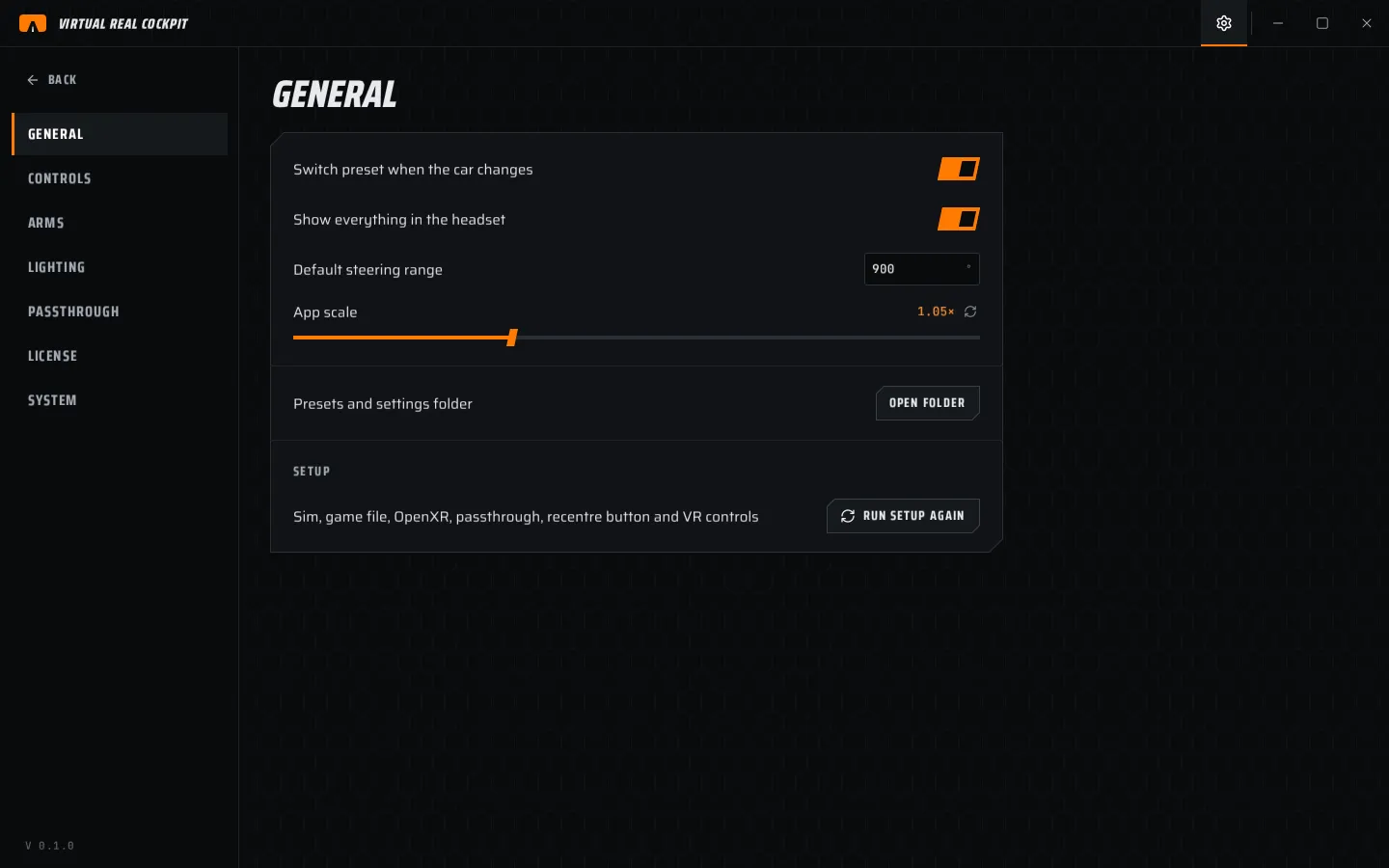
GENERAL
| Row | What it does |
|---|---|
| Switch preset when the car changes | Loads the preset of the car you drive. On by default. |
| Show everything in the headset | Master switch, same as the ALL tile. |
| One instance at a time | A second start brings the running app to the front. |
| Default steering range | Lock to lock for cars without their own, in degrees. |
| App scale | Size of the app window's contents. Applies after a restart. |
| Check for updates once a day | See chapter 13. |
| Presets and settings folder | OPEN FOLDER |
| SETUP | RUN SETUP runs the six setup steps again. Nothing is lost. |
CONTROLS
| Row | What it does |
|---|---|
| VR controls | The controls for each controller type (chapter 10). Read only. |
| Hand tracking controls | Your hands drive the VR menu. |
| WHEEL › Recentre | Your paired button and its device. Pair again listens for a new one. |
| Recentre only while the sim has focus | Stops the recentre key firing while you type elsewhere. |
| KEYBOARD | VR menu, Edit mode, Grab selected (hold), Cycle selection, VR click. CHANGE or SET takes a new key. |
| Pointer | Auto, Controllers or Head gaze. |
| Motion controllers in the sim | Lets the add-on use your controllers inside the sim. |
| VR menu › Size | How large the VR menu is, in px/m. |
| VR menu › Anchor | Game world or Real world. |
| VR menu › IN FRONT | Brings the VR menu in front of you. |
ARMS
| Row | What it does |
|---|---|
| Show hands and arms | Draws your tracked hands. |
| Show sleeves | Draws the suit sleeves. |
| Model | The hand model. CHANGE loads another. |
| Colours | Glove and sleeve colour (untextured models). |
| BODY | Glove thickness, Forearm length, Upper arm length, Shoulder width, Shoulders below eyes, Shoulders behind eyes. |
| GRIP | Snap hands onto the rim, Hold the wheel when tracking drops, Snap range, Grip alignment, Grip depth, Elbow flare. |
Details in chapter 8.
LIGHTING
| Row | What it does |
|---|---|
| Light objects from the game image | The game's light reaches your objects. |
| Sun from telemetry | Uses the sim's sun (iRacing). |
| Shadows | On or off; Low, Med, High. |
| STRENGTH | Sun, Ambient, Reflections, Shadows. |
| SUN | Tint, Direction offset, Mirror left and right. |
Details in chapter 9.
PASSTHROUGH
| Row | What it does |
|---|---|
| Method | Off, Auto, Chroma key, Meta Link. |
| Key colour | Magenta, VD blue or your own. Must match Virtual Desktop. |
| Edge | Soft (a soft ramp, best with Virtual Desktop's Smoothness), Dither or Hard. |
Details in chapter 7.
LICENSE
| Row | What it does |
|---|---|
| Status | ACTIVE, TRIAL · N DAYS LEFT, LITE · TRIAL ENDED, LITE · KEY REFUNDED, LITE · KEY NOT CHECKED, INVALID KEY or NO KEY. |
| Updates | ALL VERSIONS. On a trial: Trial ends. |
| License key | ENTER KEY or CHANGE KEY. |
| REMOVE KEY | Frees this PC so the key can be used on another one. |
Details in chapter 3.
SYSTEM
| Row | What it does |
|---|---|
| Version | The app version. CHECK NOW looks for an update. |
| VR add-on | READY or NOT REGISTERED, with REGISTER or UNREGISTER. |
| VR runtime | The OpenXR runtime in use. |
| Running in | The VR game the add-on runs in, or WAITING FOR A VR GAME. |
| GPU cost per frame | How long the add-on takes per frame, in ms, by part. |
| Passthrough path | The passthrough in use. |
| Controllers | The controllers the add-on sees. |
| Play space | Your play area. |
| Telemetry | The sim, car and track being reported. |
| Let the sim's cockpit hide the wheel and dashboards | The sim's own cockpit can cover them. Off by default; hide the sim's own wheel first. |
| Separate VR layer for the wheel and dashboards | Off by default. Virtual Desktop does not show it. |
| Show VR menu preview | A desktop window showing the VR menu. For checks. |
| Add SimHub dash windows automatically | Adds open SimHub dash windows as dashboards. |
| Show hidden browser windows | Shows the background windows that draw SimHub dashboards. For checks. |
| Other layers | Other VR add-ons on this PC. Only shown when there are some. |