Car presets
Home, one preset per car, the template for new cars, and switching when the car changes.
A car preset holds everything for one car: its dashboards, its wheel placement and its passthrough. When you drive that car, its preset loads.
Settings that are the same for every car (hands, lighting, controls) live in Settings, not in a preset.
Home
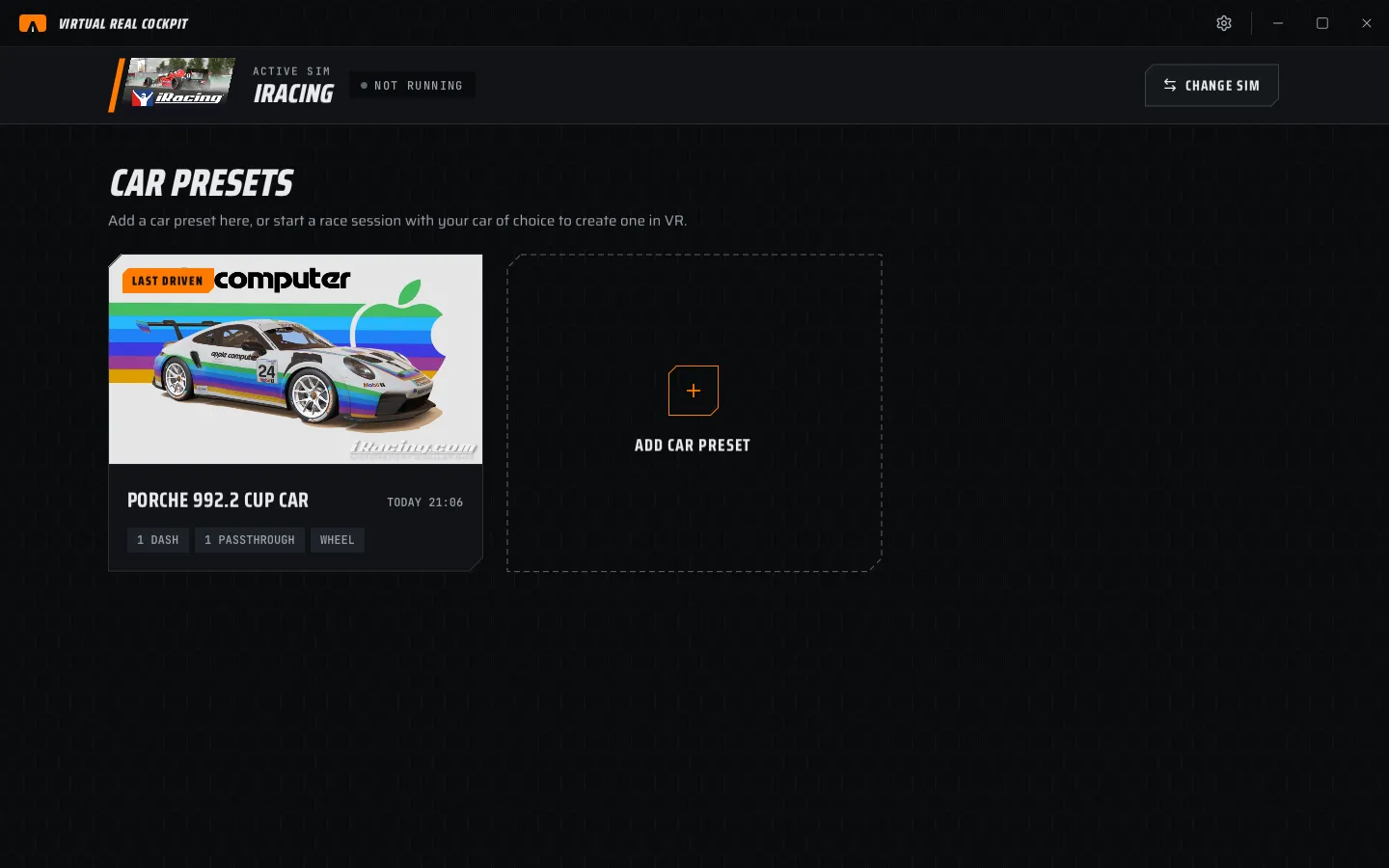
Home shows:
- The active sim banner. The sim, its state (NOT RUNNING, RUNNING, IN CAR) and CHANGE SIM.
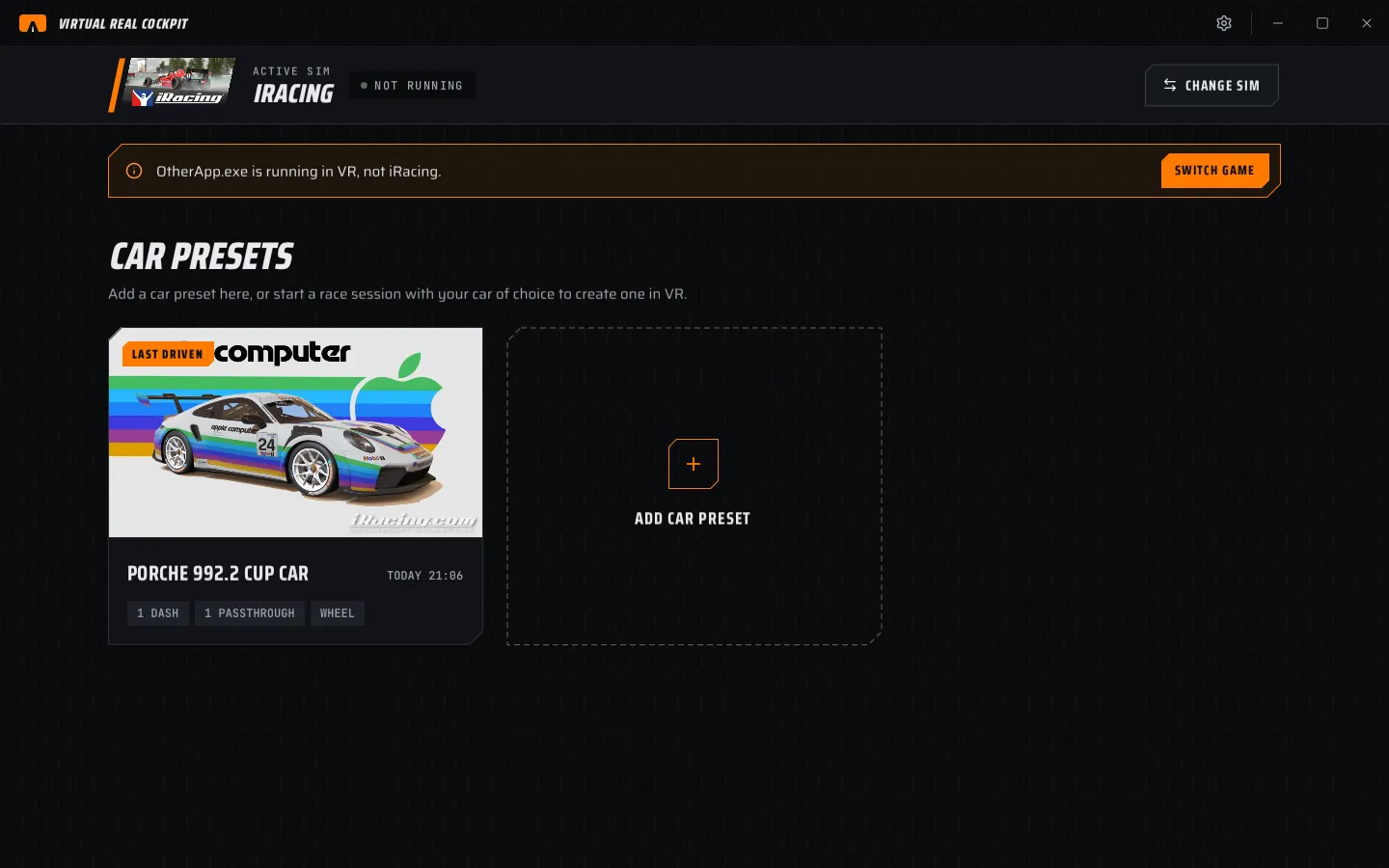
- Strips when something needs you (see below).
- CAR PRESETS. The presets of the active sim, newest first. LAST DRIVEN marks the last one you drove.
Each preset card shows what it holds, for example 1 DASH, 1 PASSTHROUGH, WHEEL.
Add a preset
Two ways:
- Drive. Start a session in a car that has no preset. A preset is made from the template the moment the sim reports the car.
- By hand. Choose ADD CAR PRESET, type the Car ID and a Display name, then CREATE.
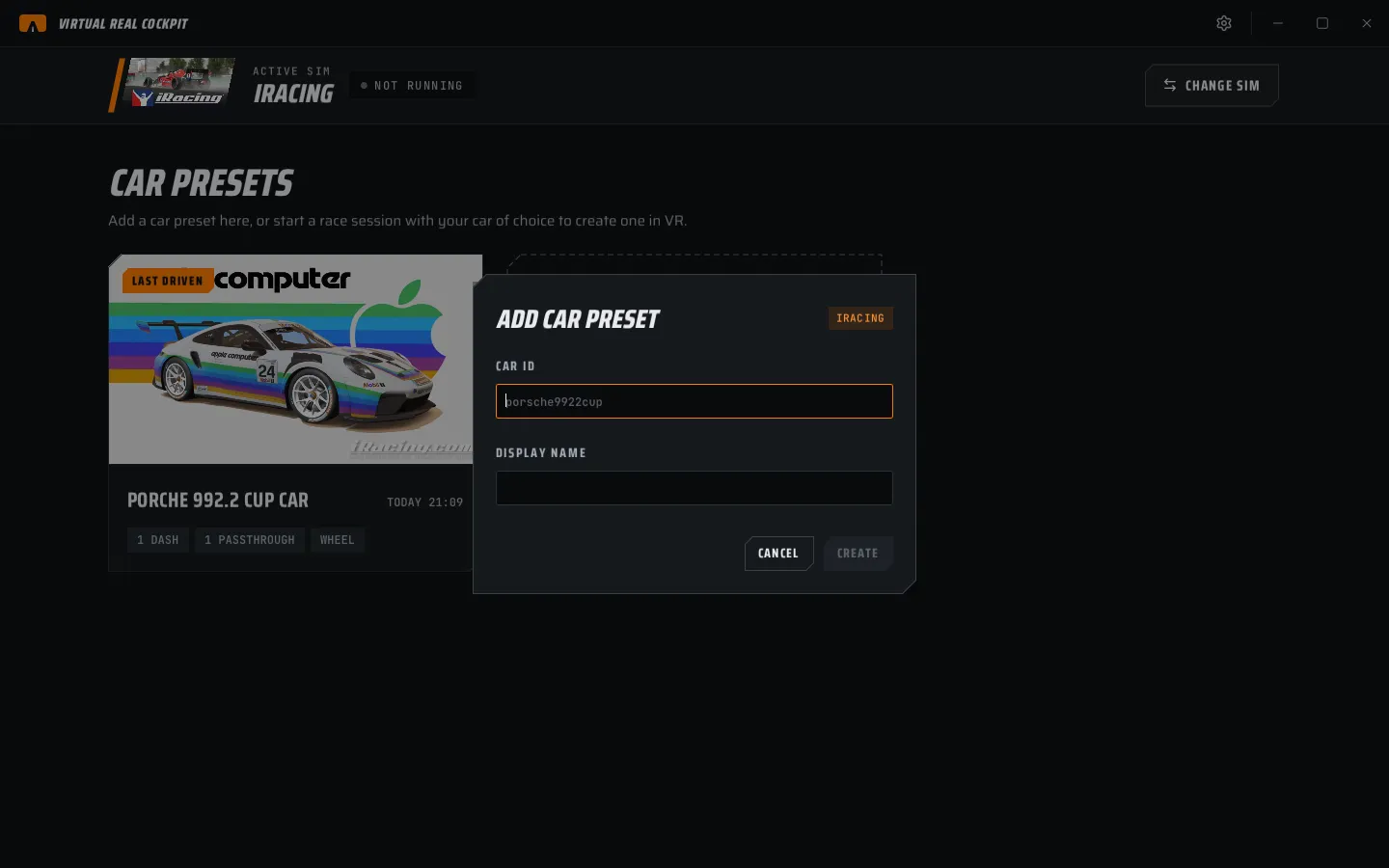
The easiest way to get the Car ID right is to drive the car once. The preset then gets the ID the sim uses.
Open a preset
Click a preset card. The preset opens on DASHBOARDS. The sidebar has DASHBOARDS, WHEEL and PASSTHROUGH. ALL PRESETS returns to Home.
The preset menu
The ... button on the car card in the sidebar opens:
| Item | What it does |
|---|---|
| Rename | Change the name shown on the card. |
| Use as template for new cars | New presets start as a copy of this one. |
| Reset to template | Replace this preset with the template. Asks first. |
| Delete preset | Remove the preset. Asks first. |
Switch automatically
Settings › General › Switch preset when the car changes is on by default. When the sim reports another car, that car's preset loads, in the headset too. Turn it off to keep one preset loaded.
Change sim
CHANGE SIM on the banner shows all sims. Click one to make it active. Home then shows that sim's presets. When a sim starts sending telemetry, it becomes the active sim by itself.
Strips on Home
| Strip | Meaning | Button |
|---|---|---|
| Le Mans Ultimate is running in VR, not iRacing. | Another sim is running. The cockpit does not show in it. | SWITCH GAME makes it the active sim. |
| iRacing's game file was not found. | The app does not know which program is the game. | LOCATE lets you pick it. |
| VR add-on not registered | The sim cannot load the add-on. | REGISTER |
| Version 0.2.0 is available. | An update is out (chapter 13). | CHANGE LOG, DOWNLOAD |
| Free trial ended · Lite mode … | See chapter 3. | ENTER KEY |
Where presets are saved
Every change saves by itself after a second and a half. Presets are files in %APPDATA%\CockpitXR\profiles\<game>\<car>.json. Settings › General › Presets and settings folder › OPEN FOLDER opens the folder. Copy it to back up your setup.