Chapter 7
Passthrough
Cut windows to the real world with canvases and boxes, and set up Virtual Desktop or Meta Link.
Passthrough cuts a window through the game to the real world, so you can see your keyboard, button box or drink without taking the headset off.
There are two kinds:
- Canvas. A flat panel you paint shapes on, in VR. Good for a keyboard or a screen.
- Box. A 3D box. Anything inside it shows. Good for a shifter or a cup holder.
Pick the method
Settings › Passthrough › Method:
| Method | Needs |
|---|---|
| Auto | Picks the right one for your runtime. Start here. |
| Chroma key | Virtual Desktop. The app paints a key colour where passthrough should show and Virtual Desktop swaps it for the camera image. |
| Meta Link | Meta Quest Link and a Quest 3-class headset (full-colour cameras). |
| Off | No passthrough. |
Virtual Desktop settings
- In Virtual Desktop, open Streaming and turn on Passthrough.
- Set its chroma key colour to the Key colour in Settings › Passthrough (magenta by default).
- For clean edges: Similarity 15 to 25 %, Smoothness up, Sharpening off, and a higher bitrate (HEVC 10-bit or AV1 if you can).
Tip
If the game itself shows a lot of the key colour, pick another Key colour and set the same one in Virtual Desktop.
Draw a canvas in VR
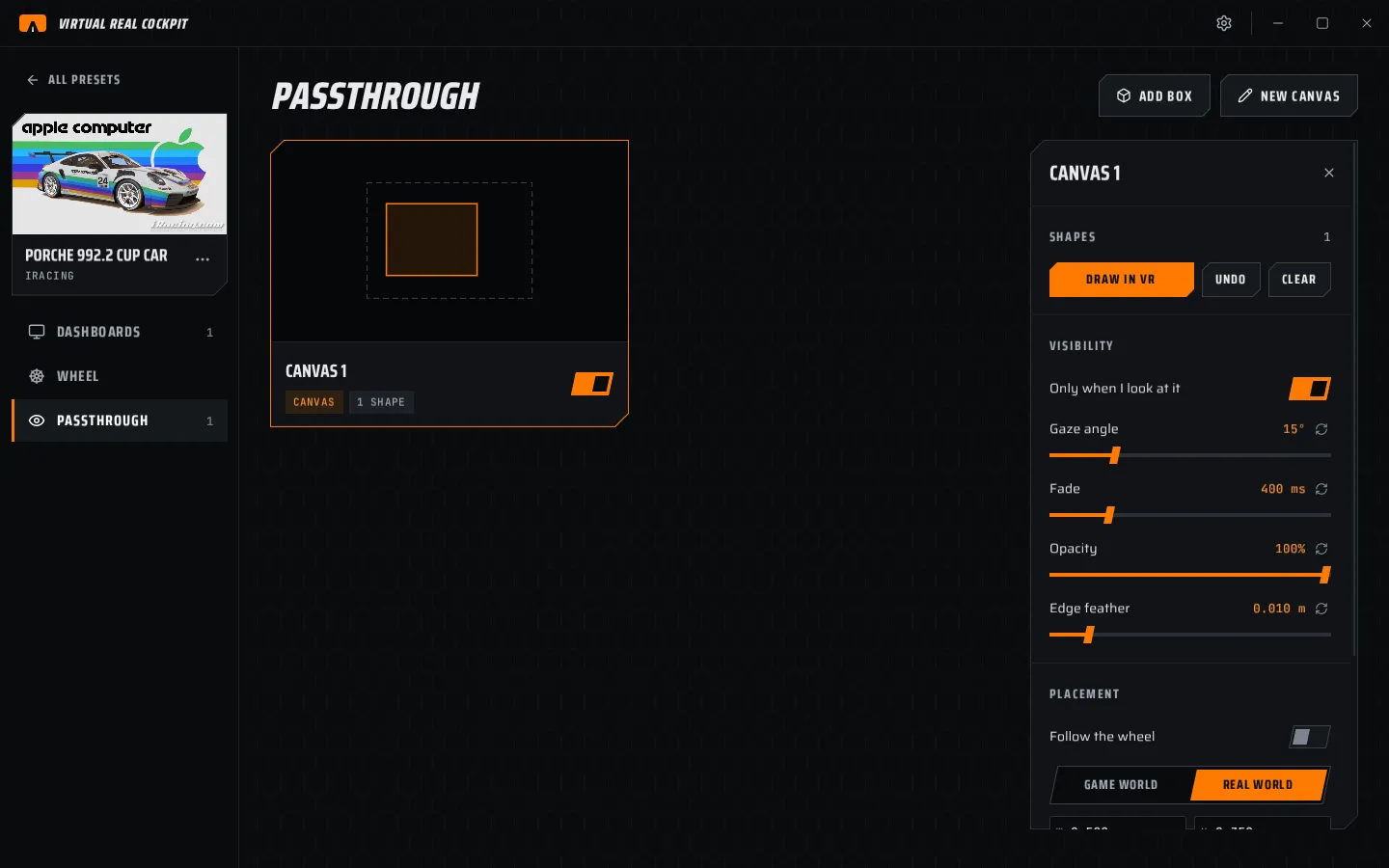
- On the Passthrough page, choose NEW CANVAS. Or open the VR menu's passthrough window and choose Create new.
- Choose DRAW IN VR. A canvas appears in front of you with a white border.
- Hold grip on the canvas to move and tilt it. Push the stick to resize it.
- Pick a tool and draw with the pointer:
- Points. Trigger adds a point. Click the first point, or press B, to close the shape.
- Rectangle and Ellipse. Hold trigger and drag.
- Undo removes the last shape. Clear removes all of them.
- Close the VR menu. Only the passthrough stays.
Add a box
- Choose ADD BOX.
- Set its size with W, H and D under SIZE.
- Choose MOVE IN VR and place it around the real object, or type its position.
Settings in the inspector
| Section | Row | What it does |
|---|---|---|
| SHAPES | DRAW IN VR, UNDO, CLEAR | Canvas only. |
| SIZE | W, H, D | Box only, in metres. |
| VISIBILITY | Only when I look at it | Shows it only while you look at it. Then set the gaze angle and the fade time. |
| Opacity | How much of the real world shows. | |
| Edge feather | Soft edges, in metres. | |
| PLACEMENT | Follow the wheel | Canvas rides on the wheel and turns with it. Use it to cut out your real wheel. The card shows ON WHEEL. |
| Anchor, W, H, position, rotation | As for dashboards. IN FRONT brings it in front of you. |
REMOVE CANVAS and REMOVE BOX delete it.
Note
Passthrough does not shake with the cockpit. It stays fixed to your seat, like the real objects it shows.